
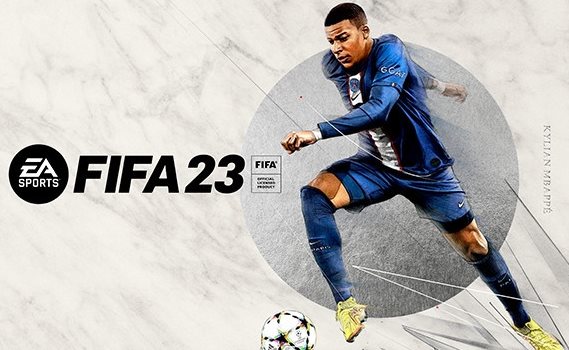
How to configure Crossplay in FIFA 23 (fast and easy)
Do not miss our guide on how to configure Crossplay in FIFA 23 or crossplay and learn how to use it quickly and easily.
What is the game about
The king of soccer simulators, FIFA 23, comes from the hand of the successful sports franchise EA Sports, which in this new installment further improves your gaming experience. EA SPORTS FIFA 23 brings us even closer to the action and realism of the game in the world thanks to HyperMotion 2 technology, with double the real-world motion captures and more authentic animations than ever in each match.
Participate in the biggest tournaments in football, with the Men’s and Women’s FIFA World Cups coming to FIFA 23 throughout the season, and play for the first time with women’s club teams. Enjoy the animations of HyperMotion2. and cross-platform features, which will make it easier to play against your peers.
Enjoy a new way to play and build your dream team with FUT Moments and a revamped chemistry system in FIFA Ultimate Team. Realize your dreams in Career mode by defining your personality as a player and managing clubs as some of the biggest names in the world of football. VOLTA Football and Pro Clubs will bring more character to the pitch with new levels of customization and improved gameplay on the streets and in the stadiums.
No matter how you play, experience the game of the world with over 19,000 footballers, 700 teams, 100 stadiums and 30 leagues, including the UEFA Champions League, Premier League, the new Barclays FA Women’s Super League and France D1 Arkema with unrivaled Realism. in FIFA 23.
FIFA 23 is the first game in EA’s long-running series to support crossplay, but some may find its implementation leaves a lot to be desired.FIFA 23 – How to Set Up Crossplay
Crossplay support in FIFA 23 isn’t as comprehensive as some would like, but it does at least give players a few more options when it comes to playing with their friends.
However, before they can start doing that, they first need to understand how crossplay works in FIFA 23 and how to set it up.
How Crossplay works in FIFA 23
Unfortunately, FIFA 23’s cross-play support splits players into two different groups based on their console generation. PS4 and Xbox One players are in one group, with PS5, Xbox Series and PC players in the other.
This means that cross-gen play is not possible in FIFA 23, nor is cross-play supported in the Legacy Edition version of the game on Nintendo Switch. Crossplay cannot be used in any co-op modes either, which will no doubt disappoint some players.
FIFA 23 crossplay should be enabled by default, but players can confirm that it is enabled by pressing the R2/RT button on the main menu to open the Social tab.
From here, they need to click on the Options/Home button to enter “Social Settings” and navigate to the Matchmaking Options menu by selecting the “Cross-Play Settings” option which can be found under the “Cross-Play” tab.
If for some reason «Cross-play enabled» is set to no, they will simply have to change it back to yes.
Assuming crossplay is enabled, players will be automatically matched with people on other eligible platforms when playing competitive FUT matches and online seasons.
What steps should we follow?
However, to play with a friend, there are a few more steps that you need to follow. First, they will need to add their friend in the Social menu, which they can do using their EA ID.
To do this, players need to navigate to the «Player Search» tab and enter their friend’s ID in the box. If you don’t know, your friend can verify your EA ID by going to the same menu and looking at the box on the right.
Once two players have become friends, one must invite the other via the Online Friendlies menu or the “Ways to Play” screen that appears when setting up a Friendlies match in FIFA Ultimate Team mode.
For the latter, simply select the “Play with a Friend” option and choose your friend from an online friends list to send them an invite.
If the person receiving the invite is busy when you arrive, you will be able to find them in the “Game Invites” tab of the Social menu later. If not, they can accept it right there to get the ball rolling.
This has been our guide on how to configure Crossplay in FIFA 23 (crossplay) quickly and easily, if you have any questions do not forget to ask them in the comments, and remember that if you liked the guide and the strategies you can share them with your friends on your social networks Twitter or Facebook.
This guide and all its content is registered by Safe Creative with registration code 2210022135965, all rights reserved.
You may also be interested in: How to play online with your friends in Splatoon 3