

The 27 Best Minecraft Mods by Category [2025 Guide]
Have you ever wondered which are the best Minecraft mods to transform your gaming experience? Since its release in 2011, Minecraft has captivated millions of players with its infinite world and endless possibilities, but the game hasn’t remained static by any means.
With each update over these 13 years, Mojang’s software content has continually evolved. However, it’s the mods—community-created modifications that add new features, items, creatures, biomes, and mechanics—that can truly revolutionize the way you play. For example, Biomes O’ Plenty adds over 80 new biomes , dramatically increasing the diversity and beauty of the game’s landscapes. Meanwhile, other mods like OptiFine are practically essential for optimizing performance.
In this comprehensive guide, we’ve compiled the 27 best Minecraft mods, organized by category, covering everything from graphical enhancements to content expansions that will completely transform your experience. Whether you’re an explorer, builder, or adventurer, you’ll find the perfect mods here to customize your world to your needs.
OptiFine
Image Source: OptiFine
Among the best Minecraft mods , OptiFine stands out as the ultimate solution for performance optimization. This mod has gained popularity for its ability to make Minecraft run much faster while simultaneously improving visual quality.
OptiFine Features
OptiFine radically transforms the game’s performance thanks to its numerous optimization features. This mod allows you to double the FPS (frames per second), reducing lag spikes and smoothing out gameplay [1] . It also includes advanced options such as:
- Chunk loading control with dynamic preloading
- Variable render distance from Small to Extreme (2x the standard distance)
- VSync system to eliminate split frames [1]
On the other hand, support for HD textures without the need for MCPatcher is one of its most valued features [2] . Customizable graphical options include configurable soft lighting, improved water quality, and connected textures for glass and bookshelves.
Advantages of OptiFine
The main advantage of OptiFine is the significant performance boost, especially on computers with older hardware [1] . By optimizing the game code, it can improve FPS by 10%-15% , reaching up to 30%-40% with the right settings [3] .
Visually, it adds enhancements such as dynamic lighting that allows emitting objects to illuminate the environment [1] , antialiasing to smooth out jagged edges, and mipmap to make distant objects look better [1] . However, its most notable capability is support for shaders, small programs that completely transform the visual appearance with effects such as ambient occlusion and water ripples [1] .
OptiFine Compatibility and Requirements
OptiFine works exclusively as a client mod, meaning it only needs to be installed on your computer [1] . It is compatible with ModLoader, Forge, SinglePlayerCommands and many other popular mods [2] . To install it correctly, it is best to install it after Forge or ModLoader to avoid conflicts [2] .
The mod offers several editions depending on the user’s needs: Light (for slow computers with limited options), Standard (for regular computers), and Ultra (with all the features, including multi-core support) [4] . For Minecraft 1.16. 5 and later, the installation process varies slightly [3] .
JourneyMap
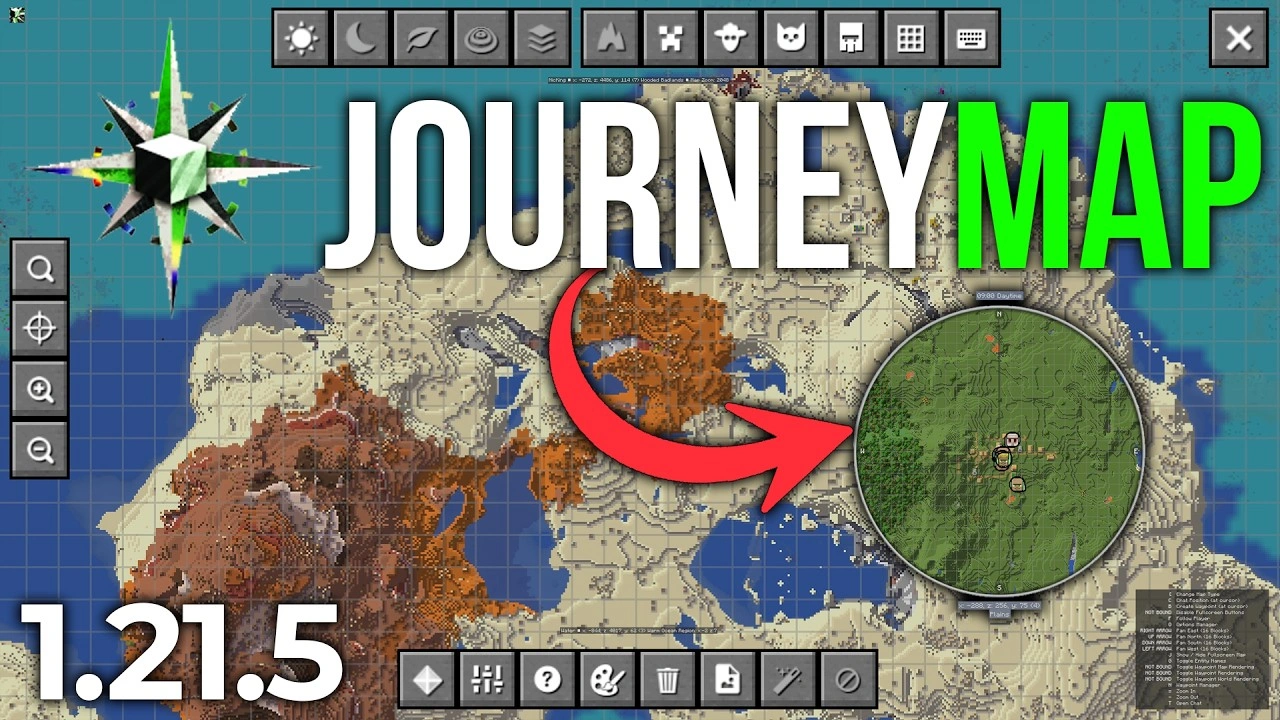
Image Source: YouTube
If we talk about the best Minecraft navigation mods, JourneyMap ranks as one of the most downloaded with over 114 million downloads since its creation in 2011 [5] . This mapping mod, originally developed by techbrew, maps the Minecraft world in real time as you explore [6] .
JourneyMap Features
JourneyMap offers several display options that transform your gaming experience:
- Configurable minimap in the corner of the screen
- Full screen map with detailed view
- View in web browser (works even on smartphones)
- Different types of maps: day, night, caves, vertical cut, Nether and End [1]
- Real-time tracking of mobs, players, villagers and pets [7]
- Possibility to save maps as PNG files [6]
Additionally, this mod is compatible with Forge, Fabric and Quilt, working in both single player worlds and multiplayer servers without the need for server installation [6] [8] .
How to use JourneyMap
Using JourneyMap is fairly straightforward. Once installed, a circular minimap automatically appears in the top right corner, which you can configure to your liking [5] .
The main controls are:
- J : Access the full screen map [5]
- B : Create waypoints or reference points [7] [5]
- CTRL+B : Adjust all existing waypoints [5]
- +/- : Zoom in/out on the minimap [5]
To use the map in a browser, simply go to Settings, activate “Web Map” and select “Use Browser” [5] .
Advantages for explorers
For adventurers with orientation difficulties, JourneyMap is indispensable. Not only does it keep you from getting lost on your adventures, but it also makes it easier to:
- Marking important places (dungeons, villages, structures) [7]
- Exact knowledge of coordinates without using F3 [1]
- Clear visualization of biomes where you are [5]
- Compatibility with other mods thanks to its API [1]
Without a doubt, if you’re an explorer, this mod will completely transform the way you play, allowing you to plan routes and never forget the location of significant places.
Just Enough Items (JEI)
Image Source: CurseForge
For players looking to master crafting, Just Enough Items (JEI) represents one of the best Minecraft utility mods with over 178 million downloads since its release in 2015 [2] . This tool revolutionizes the way we interact with the game’s recipes.
What JEI offers
JEI functions as a complete crafting encyclopedia, displaying detailed information about crafting recipes and items within the game, both vanilla and from any installed mod [9] . Based on the classic NEI (Not Enough Items), this mod allows you to consult all available recipes directly from the interface, without the need for external guides [10] . In addition, it displays additional information such as applicable enchantments, uses as fuel, and smelting processes [2] .
Interface and usability
When you open the inventory, JEI displays a list of all the game items on the right side of the screen [10] . Its main functions are activated by keyboard shortcuts:
- A : See the recipe for any item
- U : Show possible uses of the selected item
- A : Mark objects as favorites
- CTRL+O : Show/hide the JEI list
The search bar in the bottom right corner allows you to quickly find any item by name [9] . Additionally, the wrench icon gives access to the settings menu where you can customize the mod to your preferences [10] .
Compatibility with other mods
JEI is compatible with Forge (versions 1.8 to 1.19) and Fabric (versions 1.18 to 1.19) [2] . However, it has some incompatibilities with mods such as Decocraft, AdvancedRocketry, Galacticraft, Mr Crayfish’s Furniture Mod, IndustrialCraft and Chisel [11] . To enhance the experience, there are several complementary add-ons such as JEI Professions (villager jobs), JEI Enchantment Info (enchantment details) and JEITweaker (CraftTweaker support) [2] .
Biomes O’ Plenty
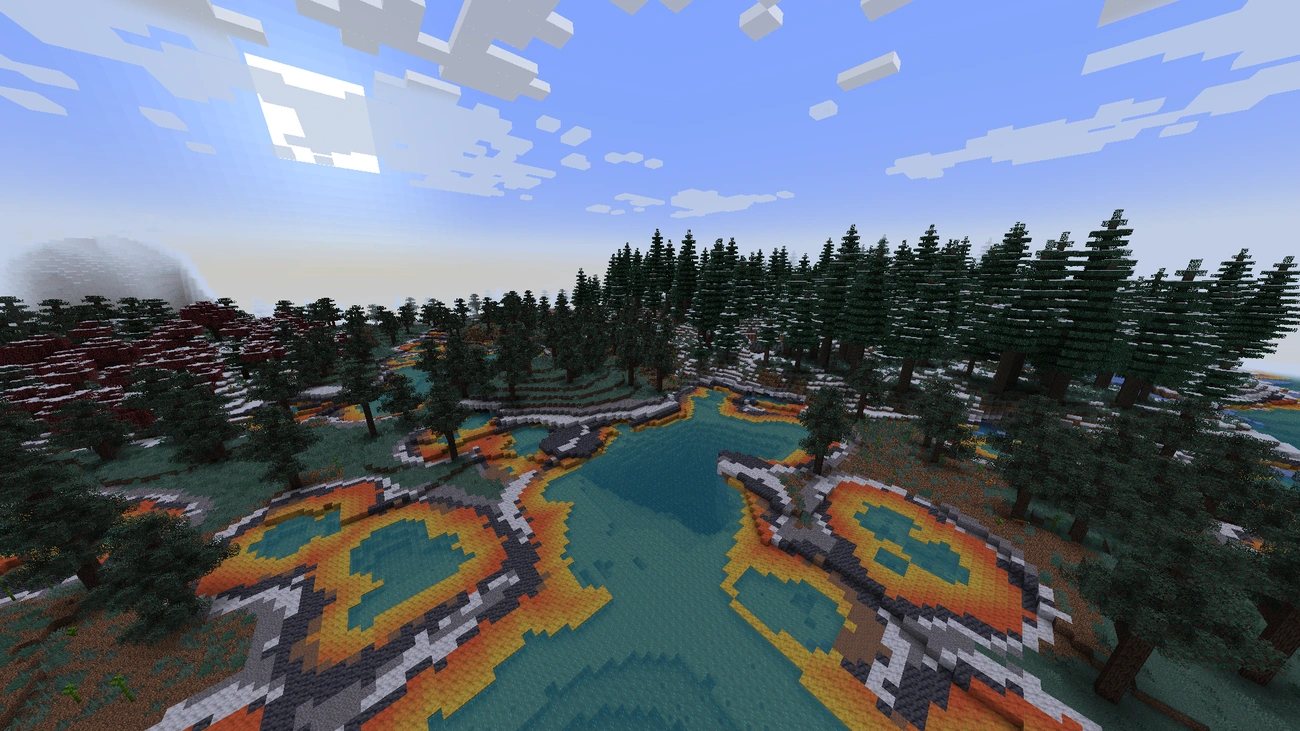
Image Source: CurseForge
As one of the best Minecraft world expansion mods , Biomes O’ Plenty will completely transform your adventures with an explosion of natural diversity. This popular mod, with over 50 million downloads, focuses on enriching world generation with unique biomes and exclusive materials.
New biomes in Biomes O’ Plenty
The mod adds dozens of new biomes to both the Overworld and the Nether, each carefully designed to offer an immersive experience. Some of the most impressive biomes include:
- Forests with gigantic trees that exceed normal heights
- Majestic mountains with unique rock formations
- Colorful biomes that look like they’re straight out of fantasy tales
These environments are meticulously crafted to maintain a style that blends perfectly with Minecraft’s vanilla aesthetic, adding variety without breaking the game’s coherence.
Unique materials and blocks
To complement the new biomes, the mod incorporates:
- New types of wood with different shades
- Exclusive flora such as decorative plants and flowers
- Building blocks with various textures and colors
These elements are not only decorative, but also significantly expand the options for your creative projects.
Impact on exploration
Without a doubt, Biomes O’ Plenty’s greatest strength is how it revitalizes the exploratory experience. As you explore the world, you’ll constantly discover surprising landscapes you’ve never seen before, creating that sense of wonder you felt the first time you played Minecraft. Furthermore, the visual diversity generates a constant desire to discover what lies beyond the next horizon.
Tinkers’ Construct
Image Source: Minecraft
Tinkers’ Construct stands out among the best Minecraft mods for completely revolutionizing the game’s tool system. Unlike the conventional approach, this mod allows you to create unique, custom tools that never break, just need repair.
Custom tooling system
First, you’ll need to create a blank template using planks and sticks. This basic element will be used to make the template table , the Part Builder , and the tool station . This system allows you to design each part of your tools separately: heads, handles, and joints. Each tool can have up to three different parts, allowing you to mix and match materials to achieve unique features.
Materials and casting
To access advanced materials, you’ll need to build a Smelter . This multi-block structure requires Grout (a mixture of sand, gravel, and clay), which when fired produces Sealed Bricks . These are used to craft the Smelter Controller and Scorched Tank to complete the structure. Smelting allows you to melt ores and create alloys like Aluminum Brass , which is essential for crafting metal molds.
Advantages for advanced crafting
Tinkers’ tools have special characteristics depending on the materials used. For example, copper grants additional experience, while wood increases durability. Additionally, these tools can be repaired indefinitely using the same materials they were created with. The mod also offers compatibility with almost all major mods available, allowing you to use ores from other modifications to create tools with even more interesting properties.
Sodium
Image Source: www.sodiumminecraft.com
By seeking to drastically improve performance, Sodium has become one of the most revolutionary and best Minecraft mods . This free and open-source mod optimizes rendering while maintaining the visual fidelity of the original game.
Performance improvements with Sodium
Sodium radically transforms frame rates, with reported increases between 250% and 500% on various systems [12] . For example, an AMD Ryzen 5 2600 with Radeon RX 580 went from 88 to 418 fps, while even modest machines like an Intel Core i3-6100U with HD 520 graphics improved from 17 to 73 fps [12] . In addition, the mod fixes numerous graphical issues and reduces stuttering, running efficiently on machines manufactured after 2010 that support OpenGL 4.6 Core [12] .
Comparison with OptiFine
While OptiFine offers more cosmetic features, Sodium focuses solely on performance and stability. Sodium supports the Fabric mod ecosystem and recently NeoForge [3] , while OptiFine uses its own proprietary system. However, Sodium updates more quickly for new versions of Minecraft [13] , making it a more reliable option for players who want to stay up-to-date.
Recommended configuration
To maximize performance with Sodium, we recommend pairing it with mods like Sodium Extra, Lithium, and Ferrite Core [3] . In the graphics settings, setting rendering to 4-6 chunks and disabling effects like particles will significantly improve FPS [4] . To visualize performance, enable the “Show FPS” option in Sodium Extra’s settings [4] .
Quark
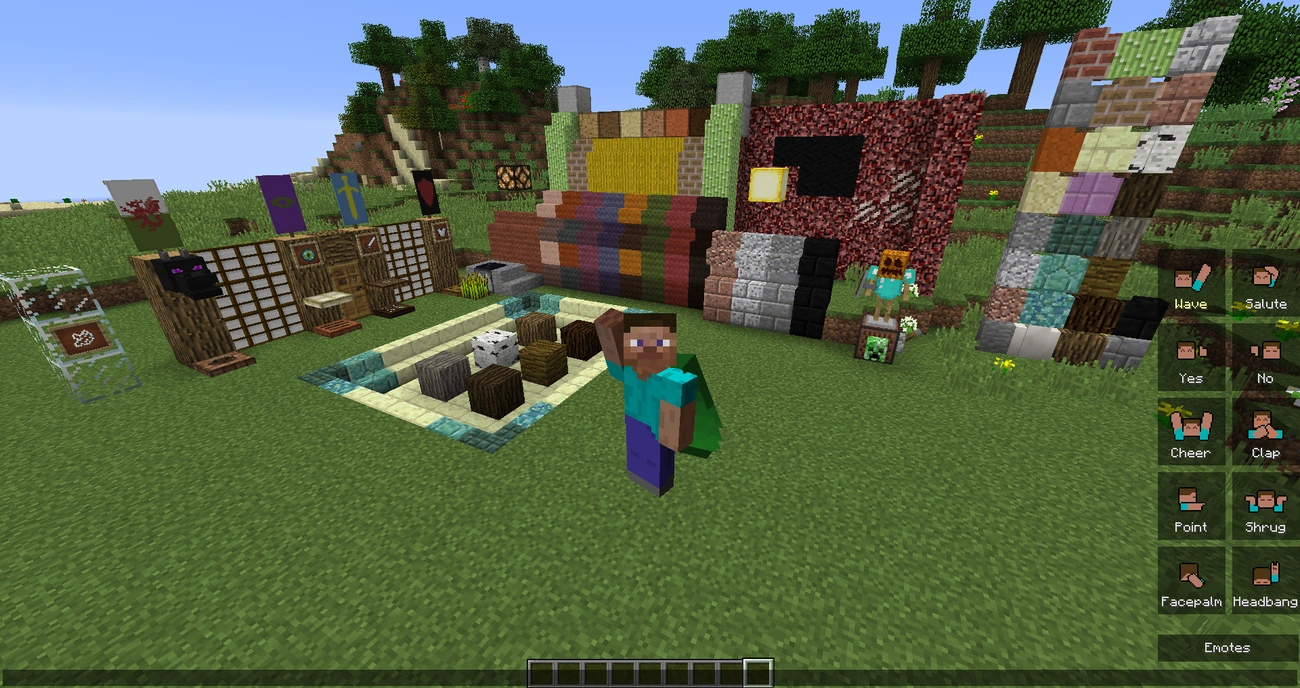
Image Source: quark
Widely considered one of the best Minecraft mods for improving the gameplay experience without drastically altering it, Quark enriches Minecraft with small details that make a big difference. This mod, with over 85 million downloads [14] , adds hundreds of features that maintain the essence of the original game.
Aesthetic and functional improvements
Quark incorporates countless improvements both aesthetically and practically. On the decorative side, it includes new block varieties such as bookcases and chests in different types of wood, transparent frames for objects and maps, and paper lanterns [15] . Functionally, it adds automatic animal feeders, iron ladders that do not require support blocks, and allows pistons to push entities like in Minecraft Bedrock [16] .
Customizable modules
Notably, each feature can be individually enabled or disabled based on your preferences. To tweak the mod, simply pause the game and look for the “q” button next to options, where you’ll access the configuration menu [14] . Modules are divided into categories such as Automation, Building, Decoration, Management, Tweaks, and World [17] .
Compatibility with vanilla Minecraft
Unlike other mods, Quark follows one fundamental principle: any addition could be included in the standard game without compromising its style [1] . It offers native support for JEI and TerraBlender, although it may present some issues with OptiFine, so it is recommended to use Sodium as an alternative [16] .
Iron Chests
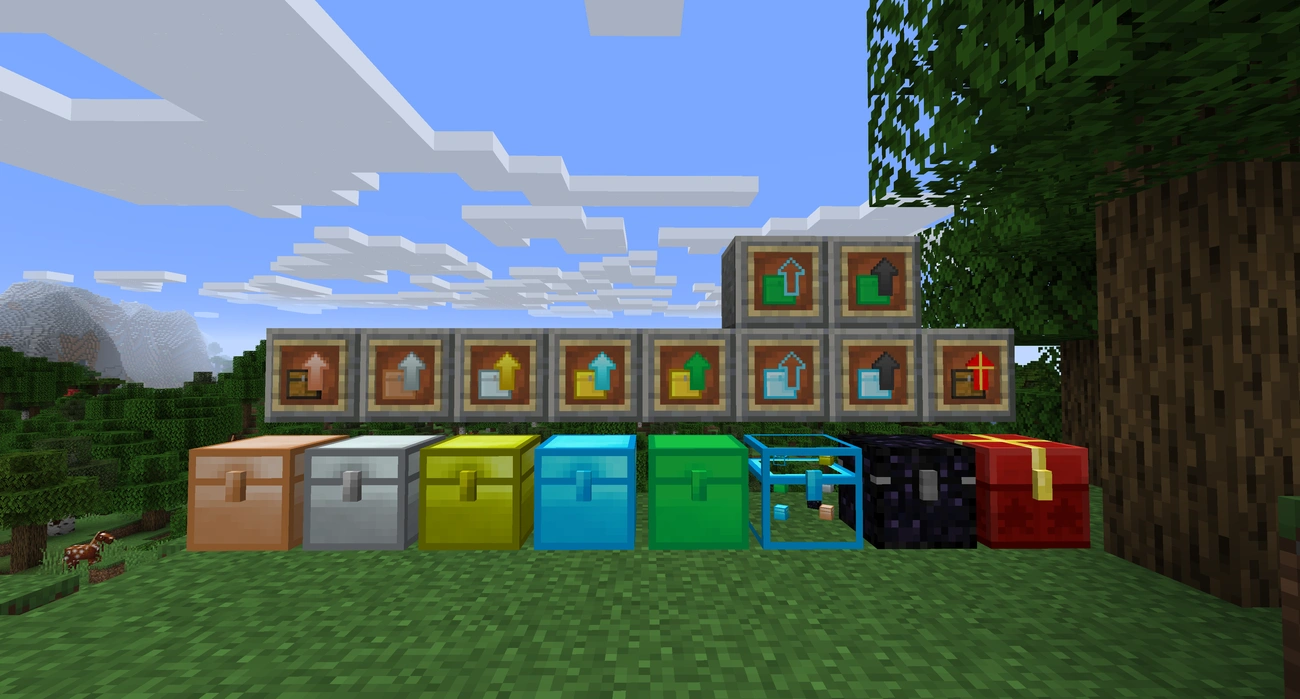
Image Source: CurseForge
The Iron Chests mod stands out as a brilliant solution to the storage issues we face in the base game, making it one of the best Minecraft organization mods. Originally developed by cpw and continued by progWML6, this essential mod drastically increases storage possibilities.
Types of chests available
Iron Chests adds an impressive array of upgraded chests crafted from different materials. Progression starts with the Iron Chest , followed by the Gold Chest , Diamond Chest , Crystal Chest , and Obsidian Chest . Additionally, there’s the rare Dirt Chest 9000 , and if you have mods that add these ores, you’ll also enjoy Copper Chests and Silver Chests . Each chest is crafted by surrounding the previous tier’s chest with the corresponding material on a crafting table.
Storage capacity
Unlike vanilla chests with 27 slots (3×9) or 54 in double chests (6×9), these chests offer superior capacities:
- Iron Chest : 54 spaces (6×9)
- Gold Chest : 81 spaces (9×9)
- Diamond Chest : 108 slots (9×12)
- Crystal Chest : 108 spaces (9×12)
- Obsidian Chest : 108 slots (9×12)
- Copper Chest : 45 slots
- Silver Chest : 72 slots
Advantages over standard chests
These chests not only offer increased storage space but also unique features. For example, the Crystal Chest allows you to view stored items without opening it, while the Obsidian Chest is explosion-resistant, protecting you from mischievous creepers. Additionally, the mod includes «upgrades» that allow you to upgrade chests without emptying them. However, keep in mind that, unlike regular chests, these cannot be double-locked.
Ender Storage
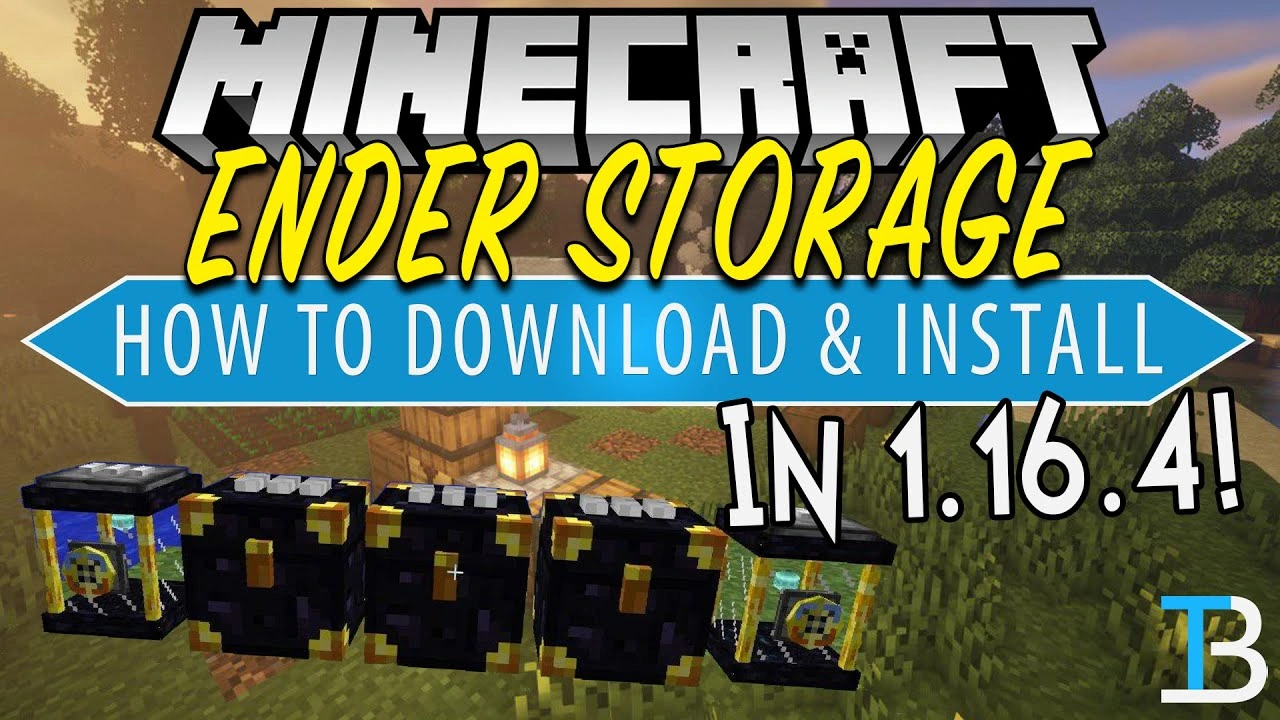
Image Source: YouTube
Ender Storage brilliantly solves the problem of transporting items over long distances, making it a must-have among the best Minecraft mods for explorer and builder players.
How Ender Storage Works
This clever mod stores your items in the End dimension using a color-coding system [7] . Ender Chests, bags, and tanks all operate on a three-color coding system customizable with dyes [18] . Any storage with an identical color scheme shares the same inventory, regardless of its location [19] . For example, all chests dyed entirely blue will share the same contents.
Interdimensional transport
Unlike conventional chests, Ender Storage allows you to access your items from any dimension in the game [7] . This feature eliminates the need to physically transport resources between the Overworld, Nether, or End. Ender Bags offer the same functionality as chests, but from your inventory [18] . Simply Shift+right-click on a chest to set the bag with the same code.
Practical applications
In addition to storing items, Ender Tanks carry liquids such as lava or water ( up to 16 buckets ) [20] , perfect for remote mining or far-flung construction. They are also compatible with Create mechanics via an additional mod [21] , allowing contraptions to access interdimensional inventories. This system is ideal for servers, making it easy to share resources between players through common code . [18]
RLCraft
Image Source: CurseForge
For the brave who seek the ultimate challenge, RLCraft represents the pinnacle of difficulty among the best Minecraft mods . This collection of over 120 mods radically transforms the game into a relentless, ultra-realistic survival experience [5] .
Difficulty and realism in RLCraft
«Real Life Craft» (hence the name) takes realism to the extreme. Unlike standard Minecraft, you can’t just bash trees or mine at the start [22] . Each biome presents unique hazards: the desert scorches you with heat while cold biomes can quickly freeze you [5] . To top it off, creatures such as dragons, chimeras, and Lycanite Mobs spawn constantly, some capable of taking you out in a single hit [22] .
New survival mechanics
RLCraft incorporates complex survival systems:
- Temperature and thirst that you must constantly manage [22]
- Balanced nutrition to maintain health
- Leveling system for skills such as combat, defense, agility, and mining [23]
- Seasons that affect the environment and gameplay
Furthermore, even normally passive animals may attack you, creating constant tension during exploration [24] .
Recommended for hardcore gamers
This modpack is certainly not for beginners. Its steep learning curve requires patience and strategic planning. However, the satisfaction of surviving in this hostile world is unmatched for those who enjoy a true challenge. The constant threat of sudden death keeps the adrenaline pumping, turning every day of survival into a true achievement [22] .
Chisel & Bits
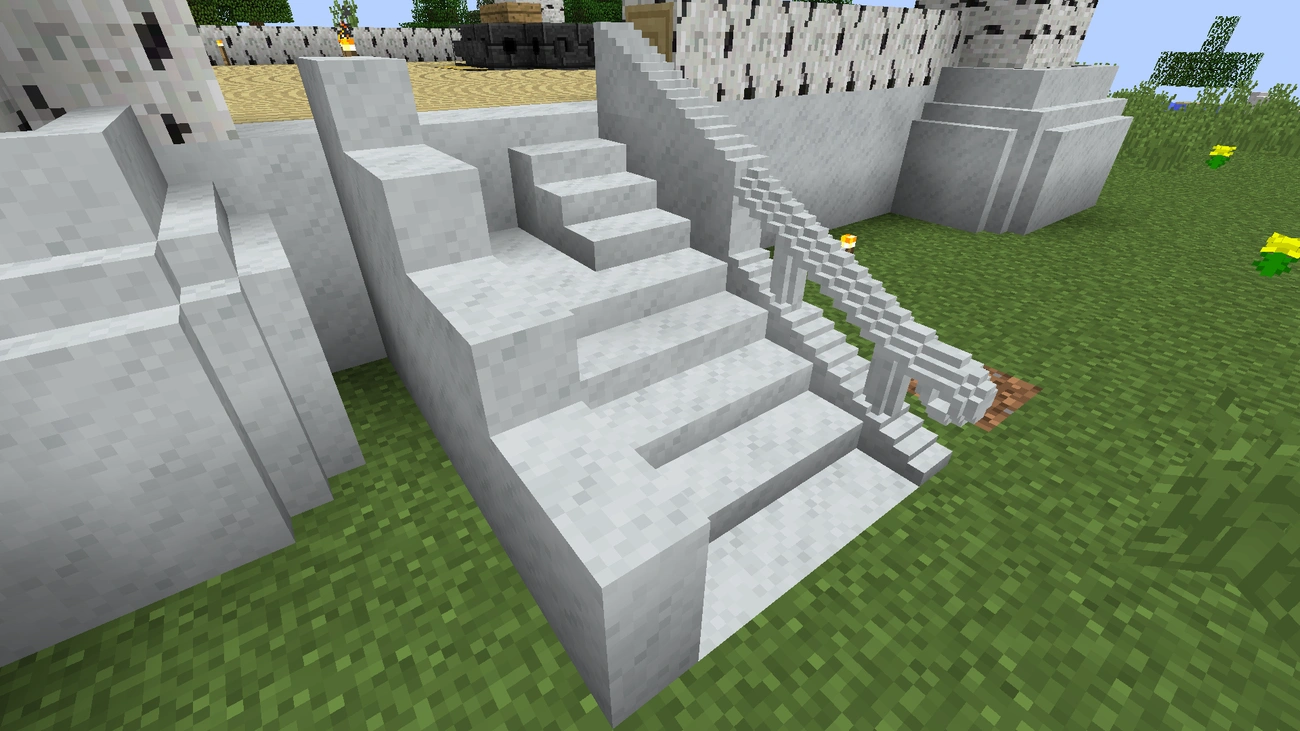
Image Source: CurseForge
Chisel & Bits revolutionizes building in Minecraft, becoming one of the best Minecraft mods for creative players with over 71 million downloads .
Block customization
The fundamental concept of this mod is to break standard blocks into smaller pieces (bits) and then rearrange them to your liking. By default, all solid and cubic blocks such as logs, planks, ore, and storage blocks are compatible. Additionally, some specific blocks such as glass, leaves, and grass have been manually adapted to work with the mod. This flexibility allows you to create smooth staircases, detailed roofs, and elegant pillars that would be impossible in the base game.
Available tools
The main tools include chisels made from different materials (stone, iron, gold, diamond, and netherite), each with varying durability. Additionally, the mod incorporates specialized tools such as:
- Chiseled Bit Bag: A backpack for storing bits
- Wrench: To rotate created structures
- Tape Measure: Tape measure for measuring blocks
- Diamond Saw: Saw for splitting blocks into specific shapes
Creative applications
With this mod, you can design custom furniture, detailed signs, decorative torch stands, and unique windows. It also allows you to create liquid-bit fountains and custom lighting using glow blocks like glowstone.
Decocraft
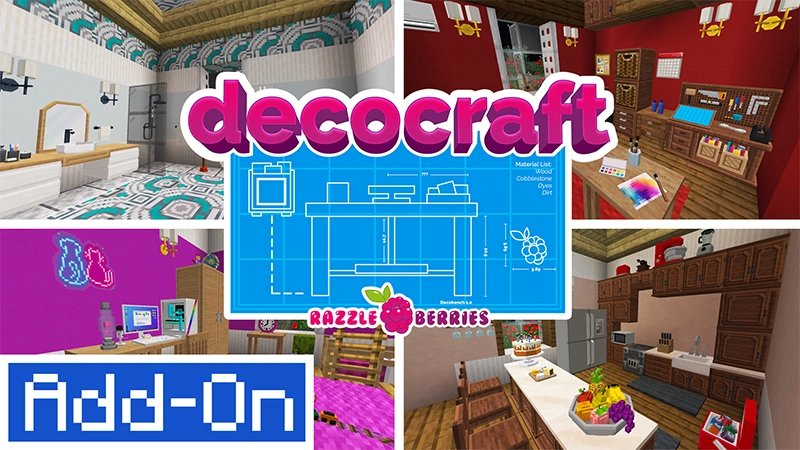
Image Source: Minecraft
When it comes to decoration in the cube world, Decocraft shines as one of the best must-have Minecraft mods for builders. Originally developed by RazzleberryFox, this mod radically transforms the aesthetic possibilities of the base game.
Decorative objects included
Decocraft adds an impressive collection of over 3,000 fully functional decorative items [25] . Using a special crafting table that requires clay and dyes (green, red, and blue), players can create a wide range of items [6] . As these items are crafted, resources are gradually consumed. The Bedrock version includes over 1,000 placeable decorations with frequent updates [8] .
Styles and themes
The objects are meticulously classified by area of the home: bedroom, bathroom, kitchen and living room [25] . We also find thematic categories such as lighting, sports, parties and science [26] . Some of the most notable examples are chairs, tables, cutlery, toilets, clocks, lamps, beds, desks, blinds, sofas and many more elements that add realism to the buildings [26] .
Ideal for detailed constructions
Decocraft is undoubtedly designed for those looking to bring both interiors and exteriors to life [26] . By incorporating these decorative elements, buildings take on a more humanized and detailed appearance [27] . This mod allows you to demonstrate creative skills through custom buildings with diverse textures, turning ordinary houses into extraordinary homes with unique personalities.
MrCrayfish’s Furniture Mod
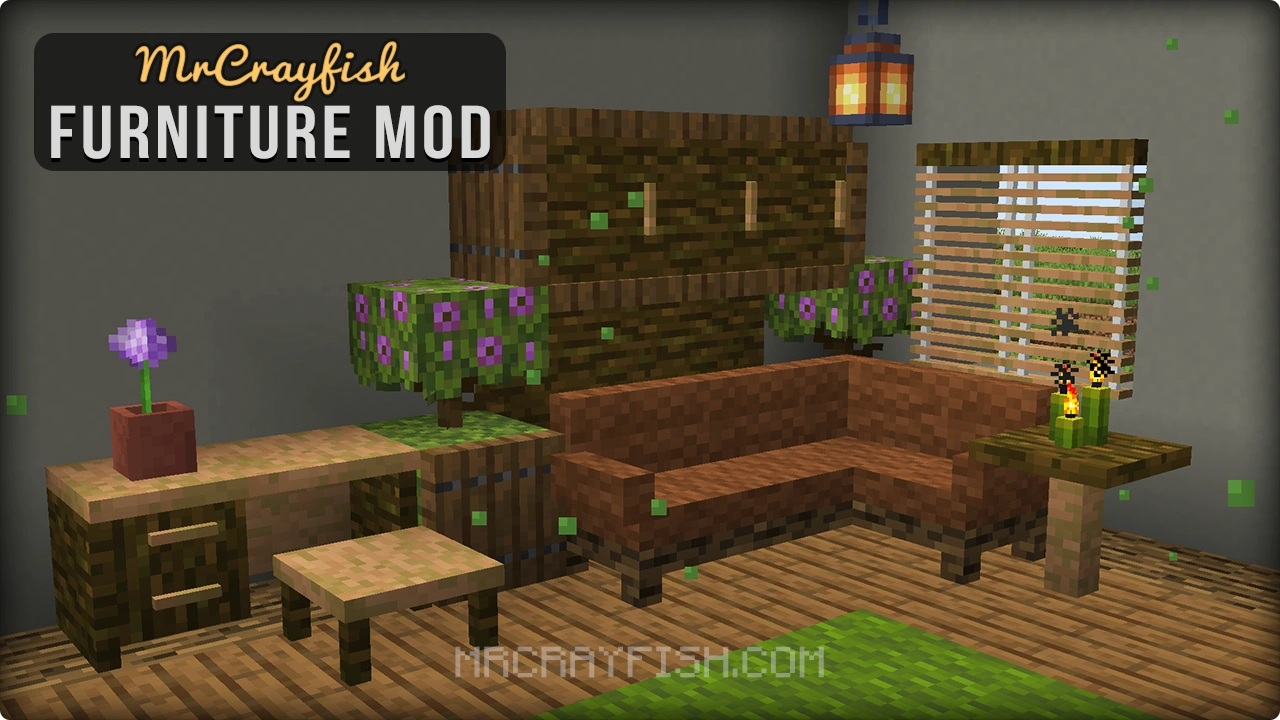
Image Source: CurseForge
MrCrayfish ‘s Furniture Mod stands out among the best Minecraft mods for its perfect balance of decoration and functionality. Unlike other decorative mods, this one adds furniture that not only beautifies your home but also interacts with you.
Types of furniture
This mod includes a wide variety of furniture for every space in your home. In the kitchen, you’ll find refrigerators, ovens, sinks, and countertops. Meanwhile, the living room offers sofas, chairs, tables, and even televisions. However, it also includes bathroom items such as showers and bathtubs, as well as beds and wardrobes for the bedroom.
Functionality of objects
Certainly, the most notable feature is the interactivity of each object. For example, you can sit on chairs and sofas, store food in refrigerators, cook in functional ovens, and even shower in the showers. In addition, mailboxes allow you to send items to other players, and computers have built-in minigames.
Aesthetics and realism
Of course, all the furniture maintains a uniform style that perfectly matches Minecraft’s cubic aesthetic. While maintaining the game’s visual simplicity, it adds enough detail to create realistic and cozy environments without compromising the game’s performance.
The Twilight Forest
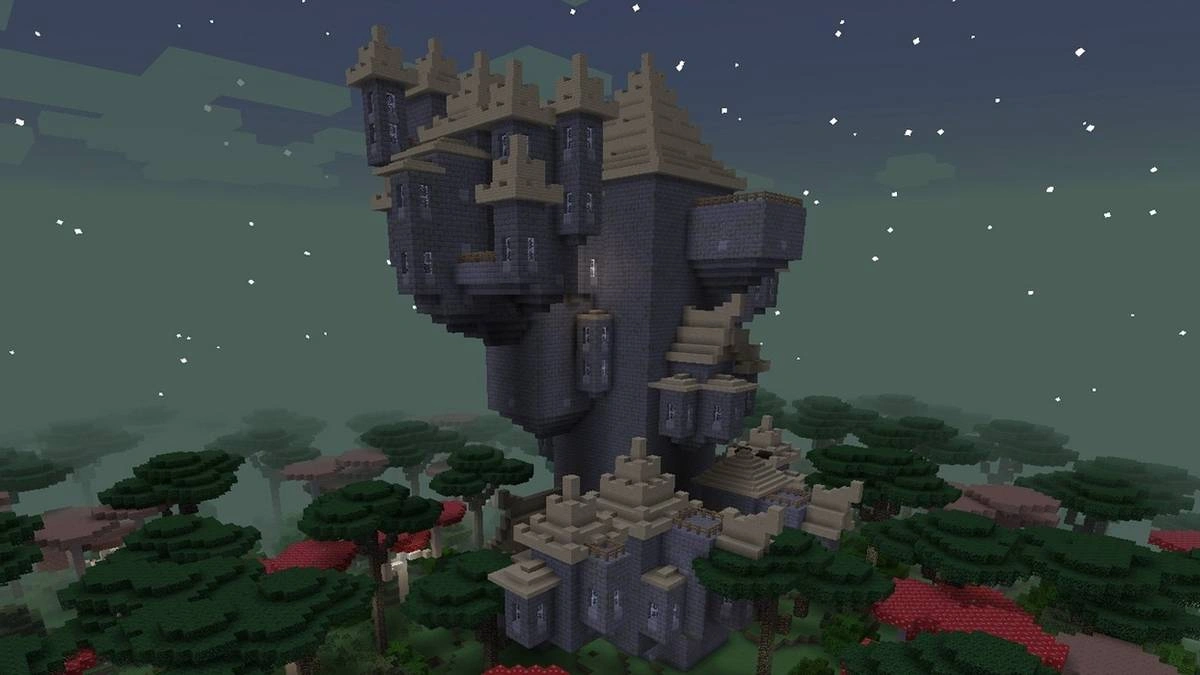
Image Source: Screen Rant
Among the best Minecraft exploration mods , The Twilight Forest transports players to a fantasy realm where magic and danger lurk beneath a perpetually twilit sky. This dimensional expanse has captivated millions of players since its inception.
New magical dimension
To access this dimension, you must build a special portal: dig a 2×2 hole, fill it with water, and surround it with flowers, mushrooms, or ferns. When you throw a diamond into the water, a lightning bolt will transform the puddle into a magical portal. Upon crossing, you’ll find yourself in a world where gigantic trees create a canopy that obscures the landscape, creating a unique atmosphere.
Biomes and enemies
The Twilight Forest contains numerous unique biomes:
- Twilight Forest : The most common, with huge trees and dense vegetation
- Swamps : Home to the fearsome Hydra and swarms of mosquitoes
- Dark Forest : Extremely dark, full of dangerous mobs and structures
- Enchanted Forest : With multicolored leaf trees and magical creatures
Plus, you’ll find unique creatures like deer, bighorn sheep, red-capped goblins, and minotaurs that inhabit these magical lands.
Exploration and rewards
Progression in this dimension is controlled by a system of bosses that you must defeat sequentially. Starting with the Naga, followed by the Lich, the Hydra, and others, each victory unlocks new areas and removes curses that affect specific regions. Rewards include unique materials like Fireblood, Hydra Pieces, and Naga Stone, ideal for crafting powerful tools and armor.
Applied Energistics 2
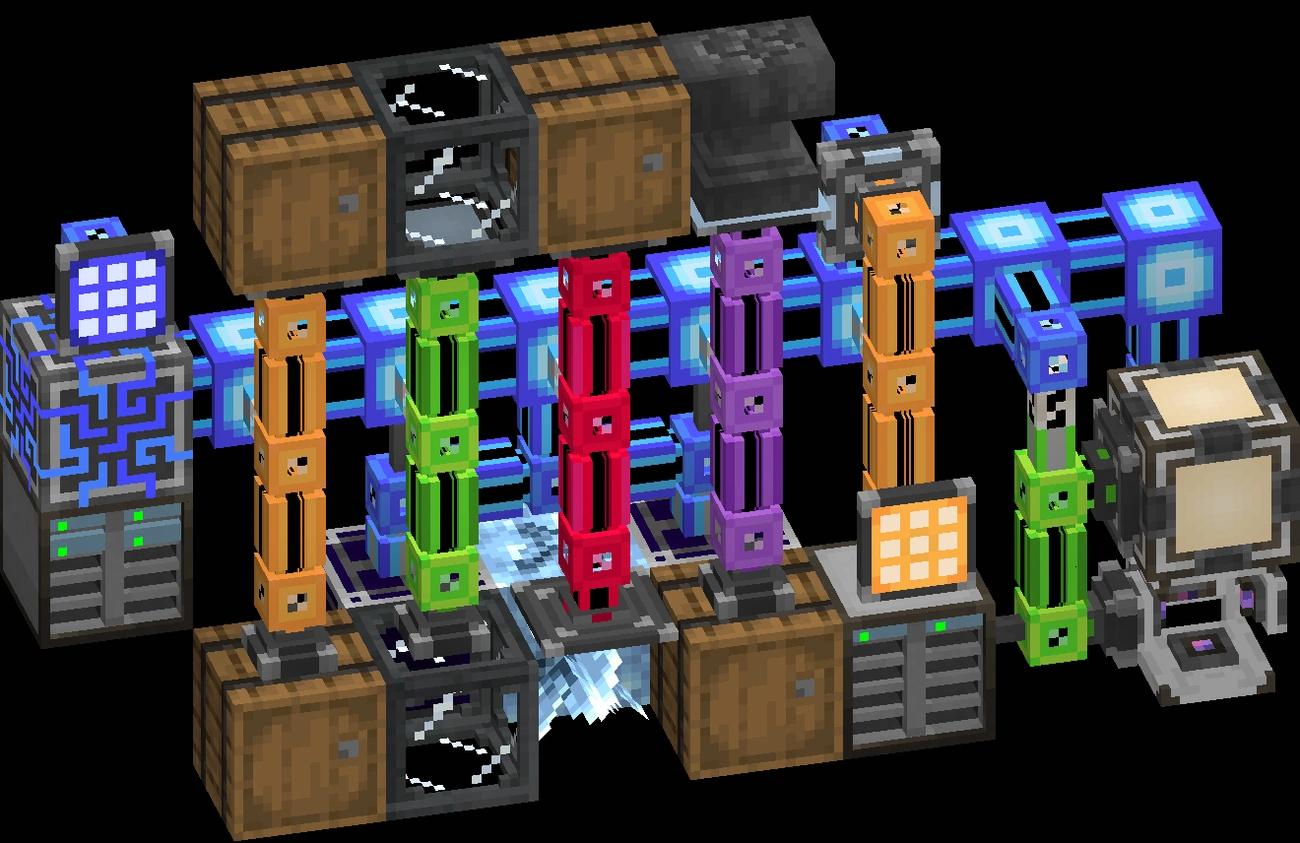
Image Source: appliedenergistics.org
Applied Energistics 2 radically transforms inventory management in Minecraft with its advanced storage and automation system, making it one of the best Minecraft mods for technical players.
Digital storage system
The heart of AE2 is its digital storage system, where items are converted into energy within a connected network. This system uses ME Drives equipped with storage cells available in different capacities (1k, 4k, 16k, 64k, 256k). Each cell can store up to 63 different types of items, with a total of 1024 items for the basic cell. To interact with this storage, you’ll need terminals like the ME Crafting Terminal, which allows full access to your digital inventory.
Crafting Automation
Additionally, AE2 allows for crafting automation using patterns. These are created in an ME Pattern Encoding Terminal and can be of various types: crafting patterns, blacksmithing table patterns, stonecutter patterns, and processing patterns. The system uses ME Pattern Providers connected to Molecular Assemblers to automatically execute configured recipes, while Crafting CPUs manage requests and store intermediate ingredients.
Technical requirements
Of course, this system requires constant power, which can be generated with Vibration Chambers or imported from other mods. You’ll also need exclusive resources like Certus Quartz and Fluix Crystals, as well as Inscribers to craft essential circuits. The channel system limits the devices connected to each wire, adding a planning challenge to your builds.
Immersive Engineering
Image Source: CurseForge
Immersive Engineering stands out among the best Minecraft mods for its realistic approach to technology. Created by Damien Hazard, this technical mod captures the essence of the industrial revolution while completely eschewing magic.
Industrial and realistic style
Unlike other tech mods, Immersive Engineering opts for dangling power lines instead of glowing tubes, and massive mechanical structures instead of magical blocks. Its retro-futuristic aesthetic, inspired by games like BioShock, transports players to a tangible engineering world. Every machine and structure is designed with meticulous detail that faithfully recreates a 20th-century industrial environment.
Multi-block machines
Without a doubt, the heart of the mod is its impressive multi-block machines. Unlike conventional crafting, these structures are built block by block in the world and activated with the engineer’s hammer. For example, the coke oven requires 27 firebricks placed in a 3x3x3 structure. Additionally, machines such as crushers, metal presses, and juicers facilitate the production of advanced materials. To simplify construction, the mod includes projectors that display guide holograms.
Integration with other mods
Immersive Engineering also offers exceptional compatibility with other modifications. Its three-tiered power system (low, medium, and high voltage) can interact with numerous technical mods. Extensions like «Immersive Integration» allow it to connect with Applied Energistics 2 systems or Tinkers’ Construct tools, creating endless possibilities for advanced automation.
Botany
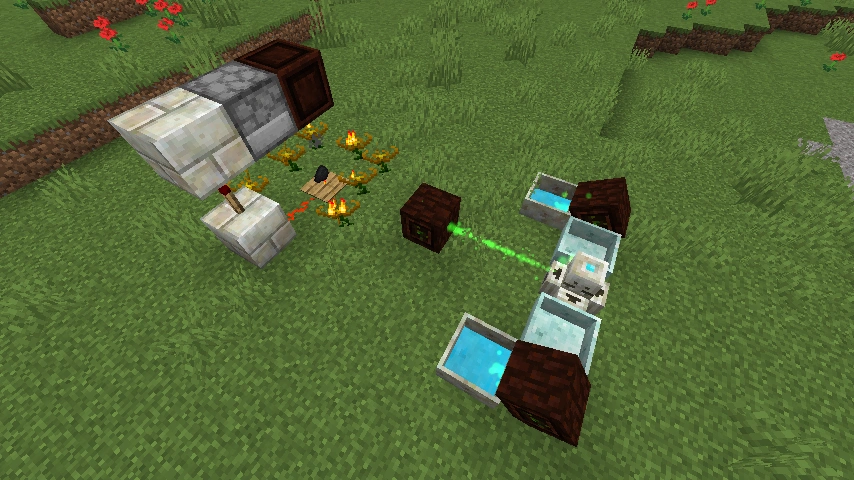
Image Source: botaniamod.net
Botania fuses technology with nature, positioning itself among the best Minecraft mods with a unique focus on floral magic. Developed by Vazkii, this mod has captivated players with its original approach.
Magic based on nature
Unlike other magic mods, Botania uses flowers and plants as the core elements of its system. As you explore the world, you’ll encounter new floral varieties recognizable by their glow and floating particles . [28] These mystical blossoms provide essential petals for crafting structures and items, from simple decorations to powerful magical artifacts.
Mana system
Manna represents Botania’s fundamental energy, drawn directly from nature. To generate it, you need specific flowers such as:
- Endoflame : Consumes fuels similar to ovens [29]
- Hydroangeas : Absorbs water to produce mana [9]
- Gourmaryllis : Feeds on food to generate energy [9]
This mana is transported by Spreaders to Reserves that store it for later use [28] . Unlike other energy systems, mana requires direction and timing, as it does not flow automatically [10] .
Artifacts and automation
Botania allows the creation of powerful artifacts such as the King’s Law Key , which summons aerial weapons to attack targets [30] . Furthermore, the mod stands out for its ability to be automated without graphical interfaces [10] , allowing the creation of complex systems using only Botania elements and vanilla mechanics [31] .
Blood Magic
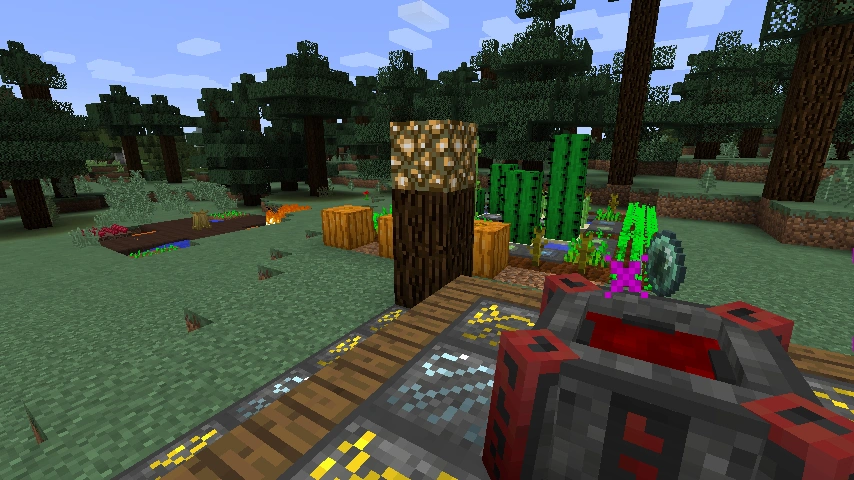
Image Source: CurseForge
Blood Magic takes us into the darker side of the best Minecraft magic mods . This mod allows you to create rituals with your own blood or that of creatures to gain extraordinary powers.
Dark rituals and spells
The Wheel of Suffering ritual is particularly notable for automatically damaging nearby mobs, filling the altar with their hit points (HP). For more advanced rituals, you’ll need to complement it with the Ritual of Regeneration, which heals creatures, creating a perpetual cycle of sacrifice. Another notable ritual summons meteorites filled with valuable resources.
Progression system
Progression begins with a basic blood altar, which requires four stone blocks, a furnace, a diamond, and two gold ingots. Initially, you’ll use a sacrificial dagger to fill the altar with your own blood (200 LP per heart). As you progress, you’ll craft blood orbs that store energy, allowing you to create an alchemy table for more complex transmutations.
It requires sacrifices and resources
To progress without constantly risking your life, you’ll need to sacrifice mobs near the altar using the sacrificial dagger. Each mob type provides a different amount of LP:
- Animals: 250 LP
- Hostile Mobs: 500 LP
- Villagers: 2,000 LP (most efficient)
However, you cannot sacrifice small creatures such as baby animals or villagers. To automate the process, in addition to the Wheel of Suffering, many players create mob farms or place the altar near natural spawners.
Comparison Table
| Mod | Main Category | Main Function | Highlighted Features | Mentioned Compatibility |
| OptiFine | Optimization | Performance improvement | – Doubles FPS\n- HD texture support\n- Chunk control\n- Dynamic lighting | ModLoader, Forge |
| JourneyMap | Navigation | Real-time mapping | – Configurable minimap\n- Full screen view\n- Mob tracking\n- Waypoints | Forge, Fabric, Quilt |
| Just Enough Items (JEI) | Utility | Crafting Encyclopedia | – Show all recipes\n- Item search\n- Favorites system | Forge (1.8-1.19), Fabric (1.18-1.19) |
| Biomes O’ Plenty | World Generation | Add new biomes | – Dozens of new biomes\n- Exclusive materials\n- Unique flora | Not mentioned |
| Tinkers’ Construct | Tools | Custom tooling system | – Repairable tools\n- Custom castings\n- Combinable materials | Compatible with most mods |
| Sodium | Optimization | Performance improvement | – 250-500% FPS increase \n- Graphical issues fixed \n- Reduced stuttering | Fabric, NeoForge |
| Quark | General improvements | Vanilla-friendly improvements | – Aesthetic improvements\n- Modular functions\n- Individual configuration | JEI, TerraBlender |
| Iron Chests | Storage | Improved chests | – Multiple levels of chests\n- Increased capacity\n- Explosion resistance | Not mentioned |
| Ender Storage | Storage | Interdimensional storage | – Color-coded system\n- Remote access\n- Liquid transport | Create (with additional mod) |
| RLCraft | Hardcore survival | Extreme difficulty | – Temperature system\n- Complex nutrition\n- Lethal creatures | Collection of 120+ mods |
| Chisel & Bits | Construction | Block customization | – Dividing blocks into bits\n- Specialized tools\n- Detailed decoration | Not mentioned |
| Decocraft | Decoration | Decorative objects | – 3000+ decorative elements \n- Functional objects \n- Classification by zones | Not mentioned |
| MrCrayfish’s Furniture | Decoration | Functional furniture | – Interactive furniture\n- Usable objects\n- Vanilla style | Not mentioned |
| The Twilight Forest | Dimension | New magical dimension | – Unique biomes\n- Boss system\n- Exclusive materials | Not mentioned |
| Applied Energistics 2 | Storage | Digital system | – Mass Storage\n- Crafting Automation\n- Power System | Not mentioned |
| Immersive Engineering | Technology | Realistic engineering | – Multi-block machines\n- Electrical system\n- Industrial aesthetics | Applied Energistics 2 |
| Botany | Magic | Natural magic | – Mana System\n- Mystical Flowers\n- Natural Automation | Not mentioned |
| Blood Magic | Magic | Dark magic | – Blood Rituals\n- LP System\n- Sacrifices | Not mentioned |
Conclusion
After exploring these 27 incredible mods, it’s clear that the possibilities for customizing your Minecraft experience are virtually endless. Each modification adds a unique layer of functionality, whether improving performance with OptiFine and Sodium, making navigation easier with JourneyMap, or completely transforming the game with magical dimensions like The Twilight Forest.
Without a doubt, the beauty of the mod ecosystem lies in its ability to adapt to any playstyle. Creative builders will especially enjoy Chisel & Bits, while tech lovers will find the Applied Energistics 2 and Immersive Engineering systems fascinating. Meanwhile, players looking for an extreme challenge can immerse themselves in the brutal survival experience offered by RLCraft.
Installing these mods is now easier than ever thanks to launchers like CurseForge or Technic. Simply choose the modifications that best suit your interests and needs. While you can start with basic mods like OptiFine to improve performance, you’ll soon discover fascinating combinations that complement your personal playstyle.
Ultimately, these mods represent just a fraction of the vast universe of modifications available. Each player can create a totally unique experience by combining different mods according to their preferences. Are you ready to try any of these best Minecraft mods? Your next great cube adventure could be just a few clicks away.
In summary
Mods transform Minecraft from a basic game into a completely customizable experience, from performance improvements to entirely new magical dimensions.
• OptiFine and Sodium double the FPS and optimize performance, making them essential for any player looking for fluidity • JourneyMap prevents you from getting lost with real-time maps, waypoints, and creature tracking in all dimensions • Biomes O’ Plenty adds 80+ unique biomes that revitalize exploration with never-before-seen landscapes • Tinkers’ Construct lets you craft custom tools that never break, only needing repair with specific materials • RLCraft transforms gameplay into extreme survival with temperature, thirst, and deadly creatures for hardcore players
The key is to combine mods according to your style: creative builders need Chisel & Bits and Decocraft, while explorers benefit from JourneyMap and Biomes O’ Plenty. Technical players will find Applied Energistics 2 and Immersive Engineering for advanced automation fascinating.
FAQs
Q1. What is the most essential mod for improving Minecraft performance? OptiFine and Sodium are the most recommended mods for optimizing performance. OptiFine can double FPS and improve visual quality, while Sodium offers performance boosts of between 250% and 500% on some systems.
Q2. Which mod is essential for exploration in Minecraft? JourneyMap is considered a must-have for explorers. It offers real-time mapping, a configurable minimap, waypoints, and creature tracking in all dimensions, making navigation and exploration of the world much easier.
Q3. What is the most challenging modpack for experienced players? RLCraft is widely recognized as the most difficult modpack. It transforms Minecraft into an extreme survival experience with mechanics like temperature, thirst, and deadly creatures, designed for players looking for an intense challenge.
Q4. Which mod is best for customizing buildings in Minecraft? Chisel & Bits excels at building customization. It allows you to split blocks into smaller pieces (bits) and rearrange them as you wish, offering an unprecedented level of detail in creating structures and decorations.
Q5. What is the most popular mod for managing recipes and inventory? Just Enough Items (JEI) is considered the most popular mod for managing recipes and inventory. It functions as a complete crafting encyclopedia, greatly simplifying item creation and inventory management in Minecraft.
References
[1] – https://dlcfun.com/es/minecraft/quark-mod-1201-ulucseniia-i-dopolneniia-dlia-vanilnogo-minecraft
[2] – https://apexminecrafthosting.com/es/solo-suficientes-articulos/
[ 3] – https://www.youtube.com/watch?v=H05QggrVHVc
[4] – https://www.youtube.com/watch?v=WaXlRprQgpI
[5] – https://rlcraft.es.download.it/
[6] – https://zonacraft.net/blog/mejores-mods-de-decoracion-para-minecraft/
[7] – https://apexminecrafthosting.com/es/minecraft-ender-storage-mod/
[8] – [9] – https://www.youtube.com/watch?v=hFf9sJ4KsUQ [10] – https://dlcfun.com/es/minecraft/botania-mod-1201-magiceskaia-texnologiia-na-osnove-prirody [11] – https://github.com/mezz/JustEnoughItems/issues/887 [12] – https://apexminecrafthosting.com/es/sodio-minecraft-mod-guia/ [ 13] – https://hypixel.net/threads/optifine-or-sodium-fabric.5038950/ [14] – [15] – https://www.youtube.com/watch?v=sUYtI45AGQc [ 16] – https://www.curseforge.com/minecraft/mc-mods/quark [17] – https://github.com/Vazkii/Quark/issues/670 [18] – https://technicpack.fandom.com/wiki/Ender_Storage [19] – https://ftb.fandom.com/wiki/EnderStorage/es [20] – https://www.youtube.com/watch?v=zhlZ5WSqiog [21] – https://www.curseforge.com/minecraft/mc-mods/create-ender-storage [22] – https://mcpezone.com/es/rlcraft-bedrock-edition/ [23] – https://www.youtube.com/watch?v=M8GkoKh93ys [24] – https://www.youtube.com/watch?v=voCQ305ODDk [25] – https://apexminecrafthosting.com/es/decocraft-minecraft-mod/ [26] – https://launcherfenix.com.ar/wope/mods/decocraft-4/ [27] – https://decocraft-minecraft-mod.softonic.com/ [28] – https://apexminecrafthosting.com/es/como-instalar-y-empezar-con-el-mod-de-botania-minecraft/ [29] –
http://minecraftentxt.blogspot.com/2014/08/mod-botania-como-generar-mana-minecraft.html
[30] – https://apexminecrafthosting.com/es/las-mejores-modificaciones-magicas-en-minecraft/
[31] – https://www.reddit.com/r/feedthebeast/comments/43p0ed/botania_mana_gen_automation/?tl=es-419